
What Contractor CRM Software Should Actually Do for Your Business
A lot of contractor CRM software sounds good until your team tries to use it.
The demo looks clean. The feature list is long. The sales page promises everything.
Then real life happens.
A lead comes in while someone is driving. A customer texts a photo. An estimate needs to be updated. A job changes schedule. The office needs to know what the field saw. The owner wants to know what is closing and what is stuck.
That is where a basic contact database is not enough.
Contractor CRM software should help your business manage the full customer journey, not just store a name and phone number.
A contractor CRM should start with leads
The first job of a CRM is simple.
Do not lose opportunities.
For contractors and service businesses, leads may come from:
- Website forms
- Phone calls
- Referrals
- Facebook messages
- Door knocking
- Past customers
- Storm events
- Local search
If those leads are not captured and assigned clearly, money gets left on the table.
A good contractor CRM should make it easy to see:
- New leads
- Who owns each lead
- When the customer was last contacted
- What the next step is
- Which leads need follow-up
- Which leads are turning into estimates
This sounds simple, but it is one of the biggest places where businesses lose work.
It should connect sales to the actual job
A CRM should not stop when the estimate is accepted.
For contractors, the customer relationship continues through scheduling, production, completion, payment, and future follow-up.
That means your CRM should connect to the job itself.
For example, a roofing company may need to track:
- Customer information
- Property details
- Inspection notes
- Roof photos
- Estimate status
- Material selections
- Appointment history
- Production stage
- Insurance notes
- Follow-up tasks
- Final invoice
If your sales information lives in one place and job information lives somewhere else, your team ends up doing extra work just to stay aligned.
That is why contractor CRM software should be built around the whole workflow.
It should make follow-up obvious
Most businesses do not lose customers because they do not care.
They lose them because follow-up is not clear.
A good CRM should show your team exactly who needs attention.
That might include:
- Leads that have not been contacted
- Estimates waiting on approval
- Customers who need appointment reminders
- Jobs waiting on photos
- Projects needing final payment
- Past customers who may need seasonal service
If the team has to manually remember every follow-up, something will eventually get missed.
The system should help carry that load.
It should be simple enough for the field team
Contractor CRM software has to work in the real world.
That means it needs to be easy to use from a phone, tablet, truck, office, or job site.
If your field team has to click through too many screens, they will avoid it. If adding a note is annoying, notes will not get added. If uploading photos is difficult, photos will stay on someone’s phone.
The best CRM is not always the one with the most features.
It is the one your team will actually use.
It should help the owner see the business clearly
A contractor CRM should also give the owner better visibility.
The owner should be able to answer questions like:
- How many new leads came in this week?
- How many estimates are open?
- What is the value of the current pipeline?
- Which jobs are active?
- What work is waiting on approval?
- Who needs follow-up?
- Where are things getting stuck?
Without a dashboard, owners often rely on gut feeling, scattered updates, or manual reports.
A simple business dashboard can make the company easier to manage.
It should support estimating and quotes
For many contractors, estimating is one of the most important parts of the business.
If the estimate process is slow, inconsistent, or hard to update, it affects sales.
A strong contractor CRM can include estimate and quote tools that help with:
- Customer details
- Line items
- Pricing options
- Add-ons
- Photos
- Notes
- Terms
- Approval tracking
- Printable or shareable quote documents
This is especially helpful for businesses that want their quotes to look professional without rebuilding them from scratch every time.
For roofing and field service companies, this can be a major improvement over disconnected PDFs, spreadsheets, and manual templates.
It should match how your business already works
This is where custom contractor CRM software can be a better fit than a generic CRM.
A generic CRM might be built for sales teams, call centers, or online businesses. Contractors need something different.
They need software that understands customers, appointments, job sites, estimates, photos, crews, production, and follow-up.
That does not mean every contractor needs a huge custom platform.
But it does mean the software should fit the workflow instead of forcing the workflow to fit the software.
At Arsenal Media, we build contractor CRM software around the way the business actually operates. The goal is not to add more screens. The goal is to make the work easier to track and easier to manage.
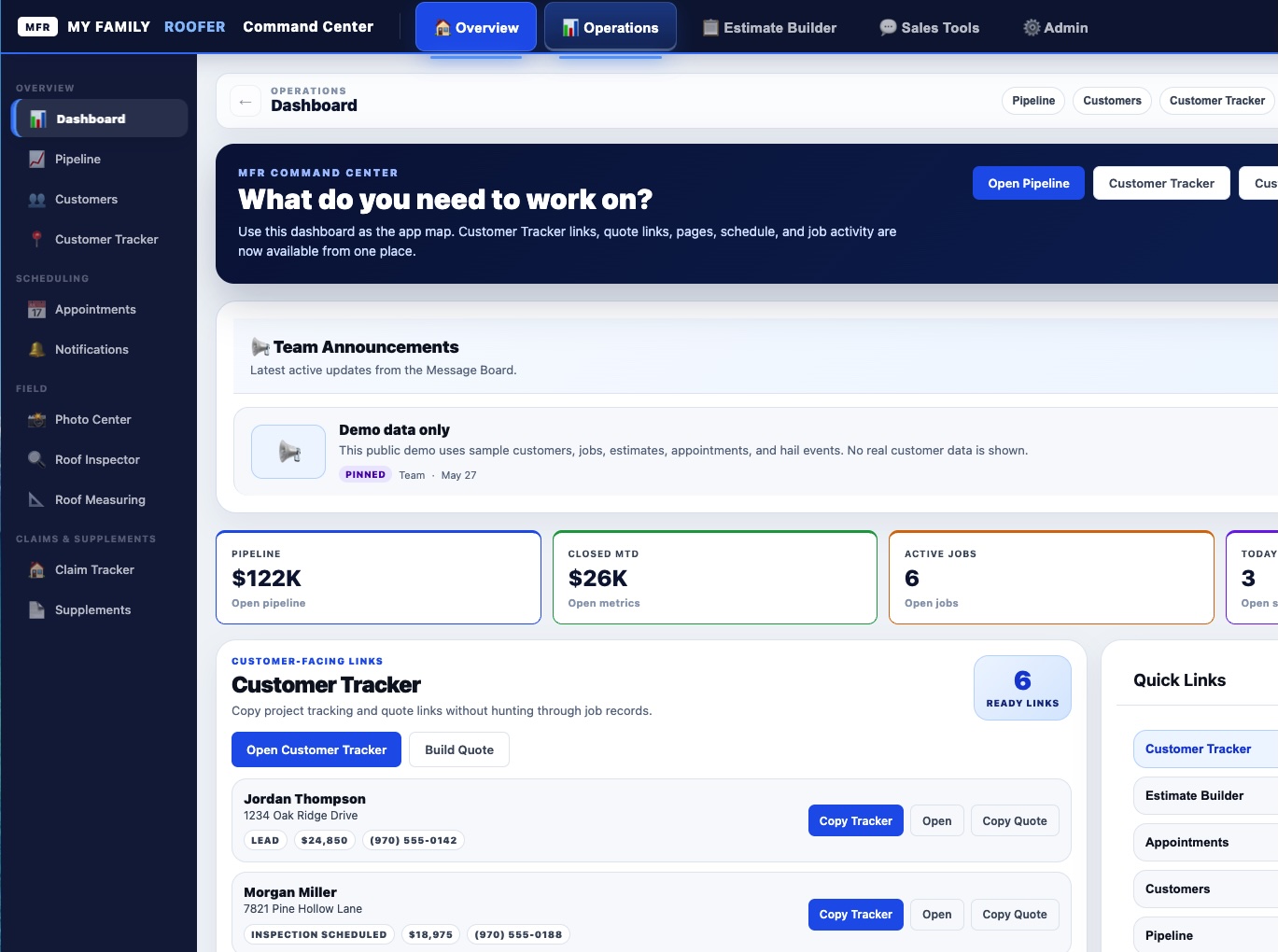
Our MFR Roofing Command Center case study is one example of a custom CRM-style system built around roofing sales, estimates, customers, appointments, and field operations.
What to look for in contractor CRM software
If you are reviewing your current system, ask these questions:
- Can we see every lead in one place?
- Can we track the full customer journey?
- Can our field team update information easily?
- Can we attach photos and notes to the right customer or job?
- Can we see which estimates are open?
- Can we tell who needs follow-up?
- Can the owner see the pipeline and active work?
- Can the system grow with us?
If the answer is no to several of those, the problem may not be your team.
It may be the system.
Final thought
Contractor CRM software should help you run the business with fewer missed details.
It should keep leads organized, make follow-up easier, connect sales to jobs, and give the owner a clear view of what is happening.
If your current setup feels scattered, it may be time to look at a CRM built around your actual process.
You can learn more about our contractor CRM software or explore our custom web application development services for contractors and service businesses.